
 February 11th, 2019
  Nilesh Chaurasia
 HTML Heading
- HTML Heading Tags are used to write the heading of the articles.
- HTML Headings are the six level headings.
- HTML Headings are described by the tag <h1> to <h6> tag.
- If You want to describe the headings or sub-headings about a topic than you can use this tags.
- Where <h1> describe the most main headings, and <h6> describe the least main heading.
Example – Heading Examples
<h1>Heading 1</h1>
The browser display <h1> heading in very big size of text, by default. Or you can say that h1 is the level 1 heading.
Caution: The <h1> is the biggest heading and <h6> is the smallest heading .
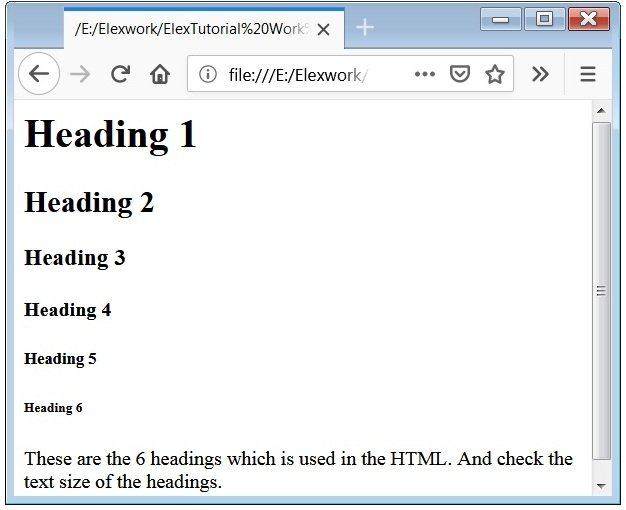
Example – Different headings are used
<html>
   <body><h1>Heading 1</h1>
         <h2>Heading 2</h2>
         <h3>Heading 3</h3>
         <h4>Heading 4</h4>
         <h5>Heading 5</h5>
         <h6>Heading 6</h6>
         <p> These are the 6 headings which is used in the HTML. And
             check the text size of the headings.
         </p>
    </body>
</html>
<h1> heading is the biggest Heading, and <h6> is the smallest heading. And another heading are respectively smaller than <h1> heading.
Caution: you can change the default size of any heading tag and its look and feel with the help of CSS properties.
 Posted in
  Tags:
Tags: